My Photo Transition Live Wallp19.5
Publisher Description
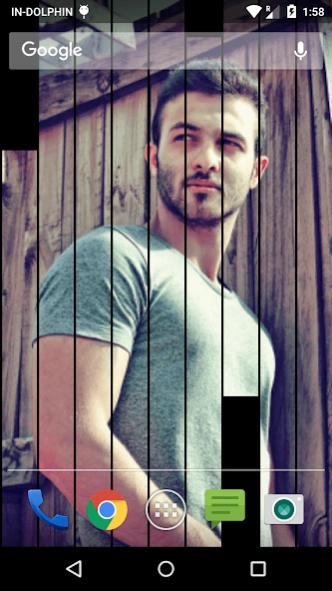


A cool LWP with coolest transitions - Pic FX LWP
My Pic FX Transition Live Wallpaper
Try it! It gives your phone a riveting look, needs no launcher, uses very little battery and works on all phones! One of the coolest live wallpapers out there!
Optimized Battery Usage.Free themes from our works and open source materials.
Compatible with 99% android devices.
This is live wallpaper not an APP. User have to set wallpaper after installing.
App does not use or transmit user data.All permissions are for displaying advertisements
Features :--
*-* Custom Transition effects
*-* Choose your images and make them animate for you
*-* Smooth animation and appearance
How To Set:
- go to your home screen;
- press the menu button on your device;
- select "Wallpaper";
- select "Live Wallpapers";
- search and select for " Live Wallpaper"
- select "Settings" to see the settings or select "Set wallpaper" to activate it.
I hope you enjoy this Lovely Live Wallpaper and encourage me for further apps.
About My Photo Transition Live Wallp
The company that develops My Photo Transition Live Wallp is TwoBit. The latest version released by its developer is 19.5. This app was rated by 1 users of our site and has an average rating of 4.0.
To install My Photo Transition Live Wallp on your Android device, just click the green Continue To App button above to start the installation process. The app is listed on our website since 2021-07-28 and was downloaded 1 times. We have already checked if the download link is safe, however for your own protection we recommend that you scan the downloaded app with your antivirus. Your antivirus may detect the My Photo Transition Live Wallp as malware as malware if the download link to com.bravo.picfx is broken.
How to install My Photo Transition Live Wallp on your Android device:
- Click on the Continue To App button on our website. This will redirect you to Google Play.
- Once the My Photo Transition Live Wallp is shown in the Google Play listing of your Android device, you can start its download and installation. Tap on the Install button located below the search bar and to the right of the app icon.
- A pop-up window with the permissions required by My Photo Transition Live Wallp will be shown. Click on Accept to continue the process.
- My Photo Transition Live Wallp will be downloaded onto your device, displaying a progress. Once the download completes, the installation will start and you'll get a notification after the installation is finished.
Program Details
System requirements
Download information
Pricing
Version History
version 19.5
posted on 2021-07-28
version 19.2
posted on 2020-01-29
**__** Minor bug fixed
version 19.1
posted on 2018-01-17
**__** Minor bug fixed
**__** Updated support to latest devices.
version 14.1
posted on 2016-02-06
**__** Updated support to latest devices.
version 1.2
posted on 2012-11-03
Several fixes and updates
